2 min read
Topic 9: The Introduction (The Footprint)
What Are Footprint Charts
- Created by Market Delta company in 2003 (went bankrupt 2020)
- Also known as: Bid/Ask Profile, Cluster Charts, Numbered Bars
- Shows volume traded at a PRECISE price level
- Unlike DOM (shows coming orders), footprint shows ALREADY EXECUTED orders
- Real-time information — stronger than lagging indicators
What Footprint Charts Show
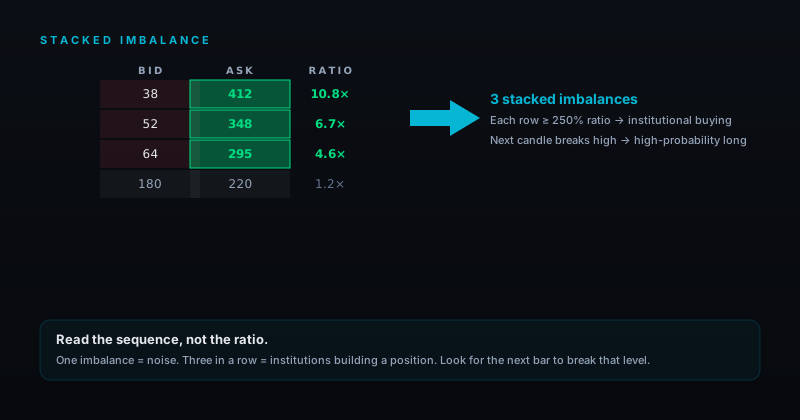
- Buy/Sell Imbalance
- High and Low of the candle
- Candle close and open
- Traded volume on BID
- Traded volume on ASK
- VPOC (Most traded volume in candle)
Key Elements
VPOC (Point of Control Volume)
- Shows where the MOST volume is traded within a single candle
- Marked with a box in the candle
- Can be at top, bottom, or middle of the candle
- Most commonly used setting: Traded Volume
Traded Bid and Traded Ask
- Market works through the limit order book, moved by market orders or triggered stop orders
- When someone buys on the market → trade reflected on footprint when executed
- Market orders work up and down towards order limits
- Shows exactly where most volume is and where it's NOT
- BID = limited buy orders triggered by market SELL orders
- ASK = limited sell orders triggered by market BUY orders
Red or Green Numbers (Imbalances)
- Red and green colored numbers = automatically marked imbalances
- Shows how strong the buying or selling pressure is
- This is the core of what the gold bot needs to read
Application
- Look inside the candle to see what's really happening
- At a Supply zone looking for sells → footprint shows if sellers are actually present
- "It looks more complicated than it actually is"
Images
Software
- Need special software: Sierra Chart, NinjaTrader, ATAS
- Course examples from NinjaTrader (but ATAS works the same)